Help Documentation · RevMax
Migrate a WordPress Site
Migrating your WordPress site doesn't have to be intimidating. Think of it like moving to a new house—your valuable content and functionality will all come along smoothly.
LC Migrator — One-Click Migration
The streamlined way to move your WordPress site to RevMax.
Previously, migrating a WordPress site meant installing third-party plugins like All-in-One Migrator, creating backups, downloading massive files, and then uploading them again. For larger sites, this could take hours—definitely tiring!
We've completely streamlined your migration experience with our brand-new LC Migrator plugin. Just log in, select your site, click a few buttons, and relax. What used to take hours now takes just a few minutes!
What LC Migrator Offers
Everything you need for a seamless WordPress migration.
One-Click Migration
Start the migration directly from the RevMax plugin without manual file handling.
Zero Downtime
Your original site stays live while we handle things in the background.
Clear Progress Updates
Stay updated every step of the way, from backup to verification.
Step-by-Step Instructions
Follow these nine steps to migrate your WordPress site.
-
01
Navigate to Your Site Settings
Go to Sites > WordPress in your RevMax dashboard. This gets you on the right path to creating your new home for your existing site.
-
02
Activate WordPress
Look for and click on Activate WordPress. Just like switching on the lights in a new house, we're getting things ready for your arrival.
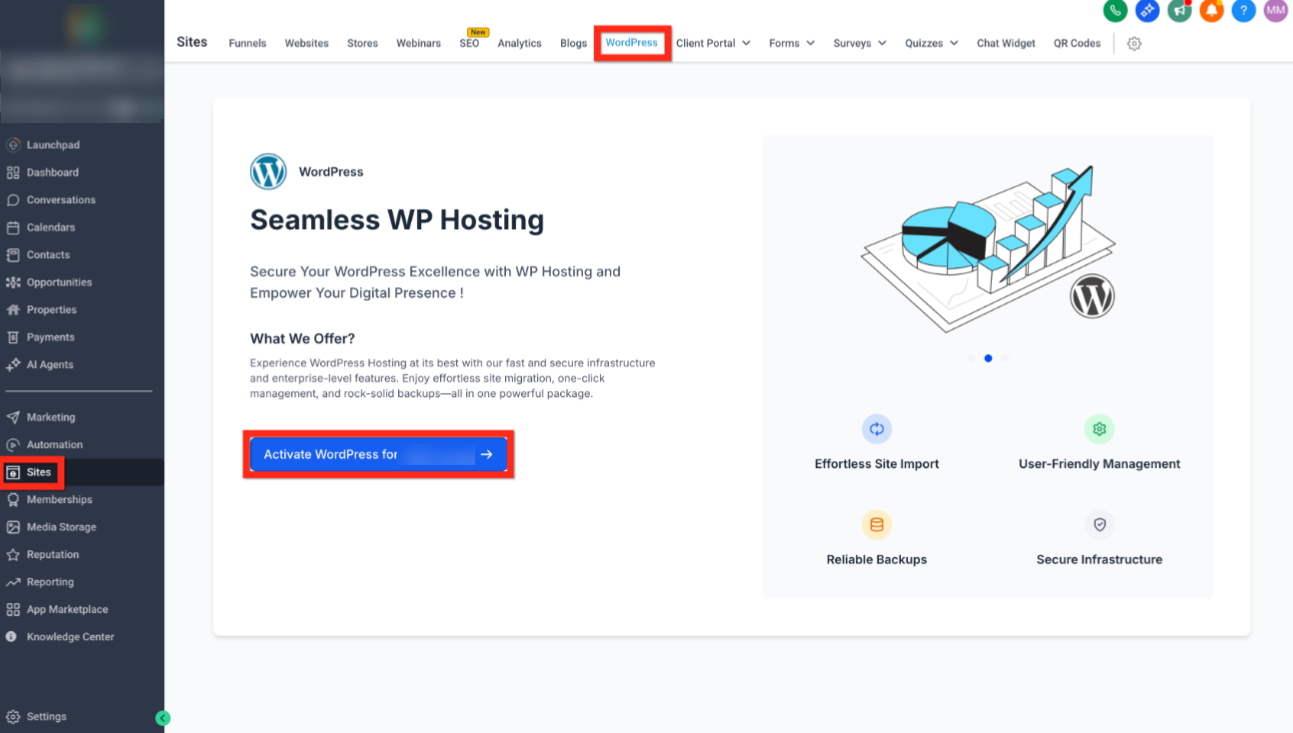
Step 2: Navigate to Sites → WordPress → Activate WordPress
-
03
Set Up Your Site
Click on the WordPress site card, select From blank, then choose a template. Select From blank again, click Create, fill out your site's details, and finally hit Create WordPress site. Easy, right?
-
04
Import Your Existing Site
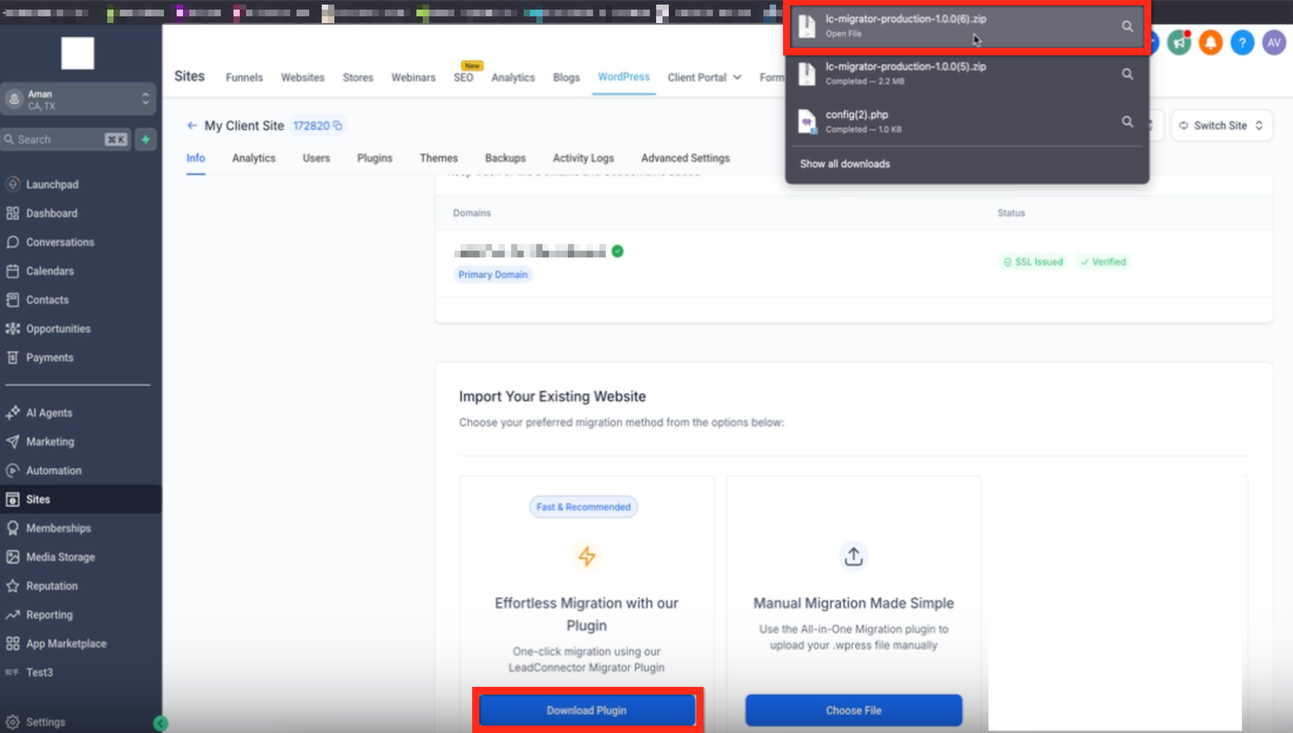
Under your WordPress site > Info > Import Your Existing Website, select the One-click migration using RevMax Migrator Plugin. Make sure the zip file is downloaded. Now, here comes the magic!
-
05
Add Plugin
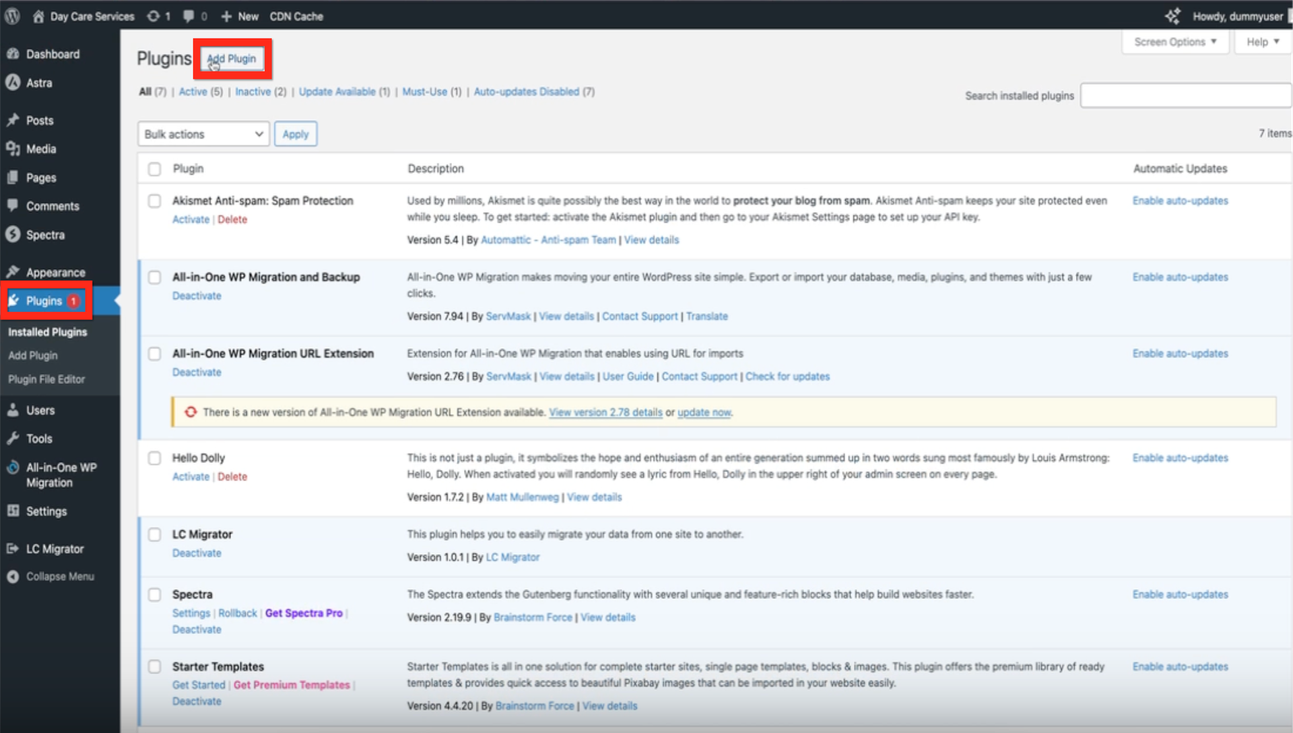
Go to your existing WordPress Admin > Plugins > Add Plugin and add the downloaded zip file.
-
06
Connect Your Account
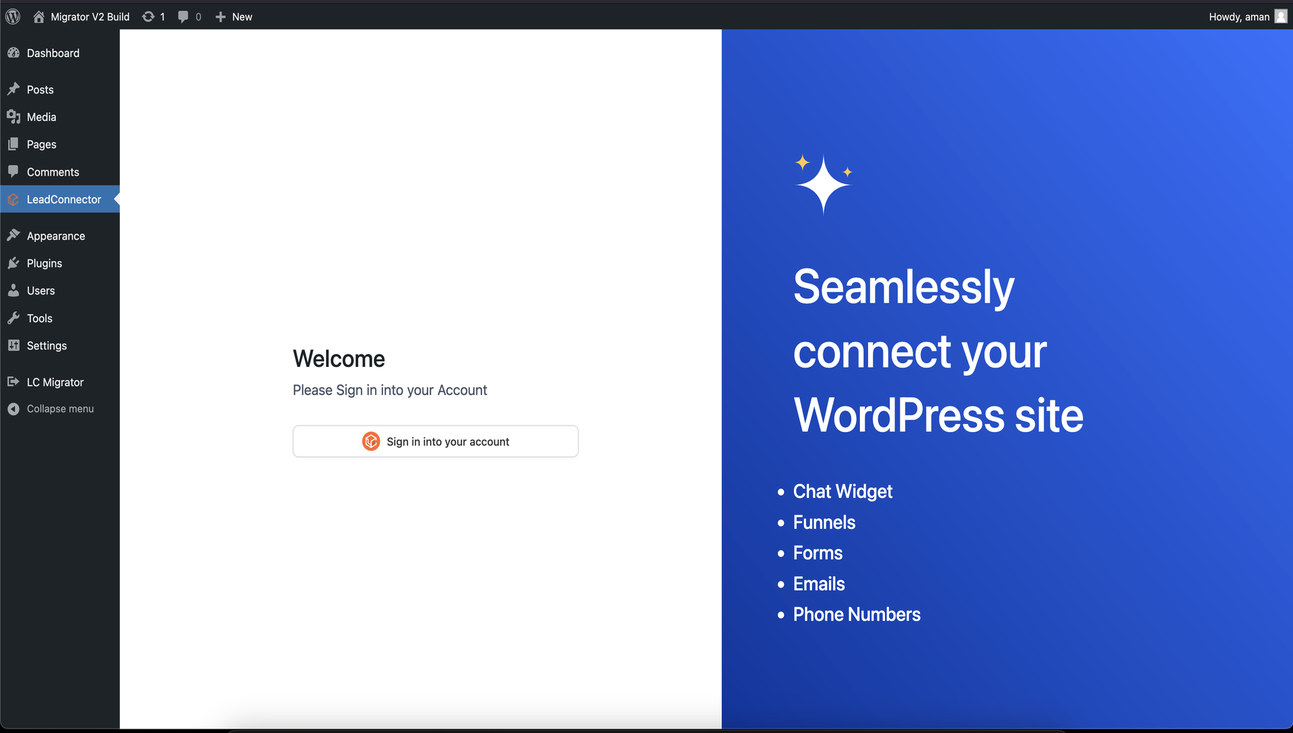
Go to your WordPress dashboard and click on LC Migrator. Sign in to your RevMax account.
-
07
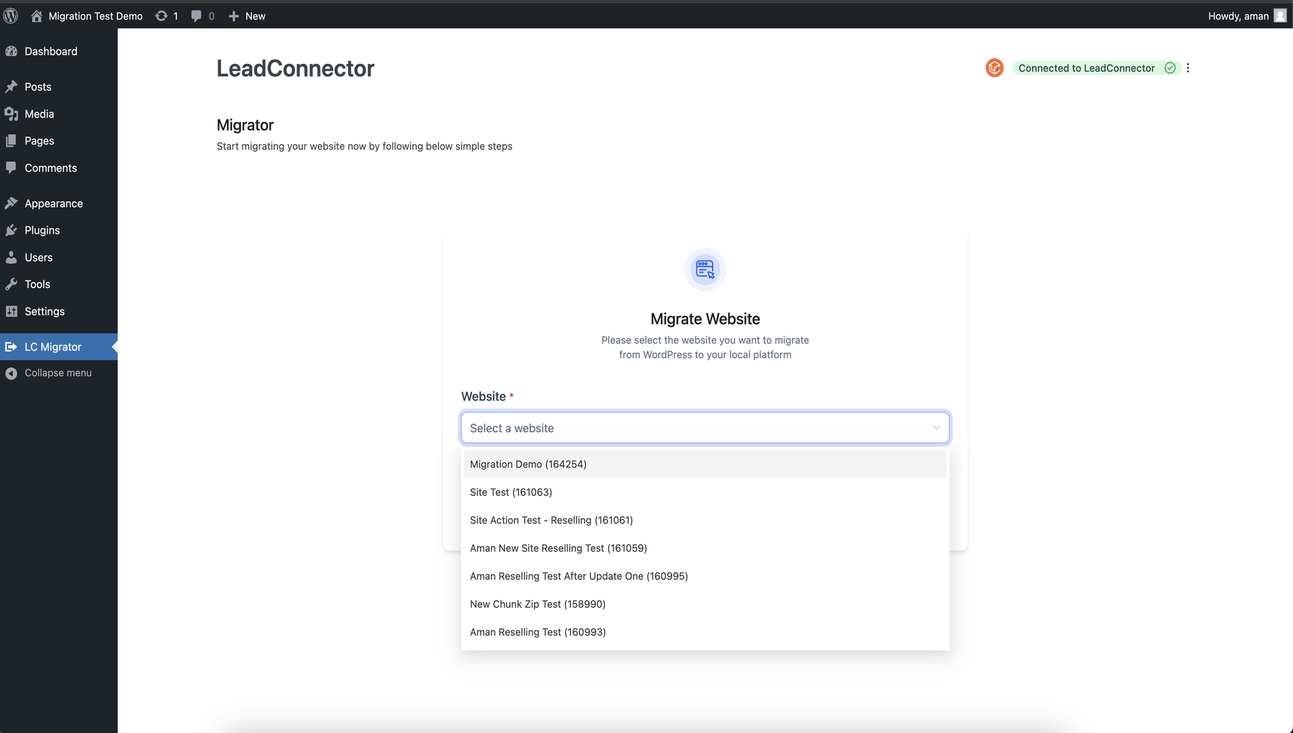
Select Your Website
Choose the website you wish to migrate from the provided dropdown list.
-
08
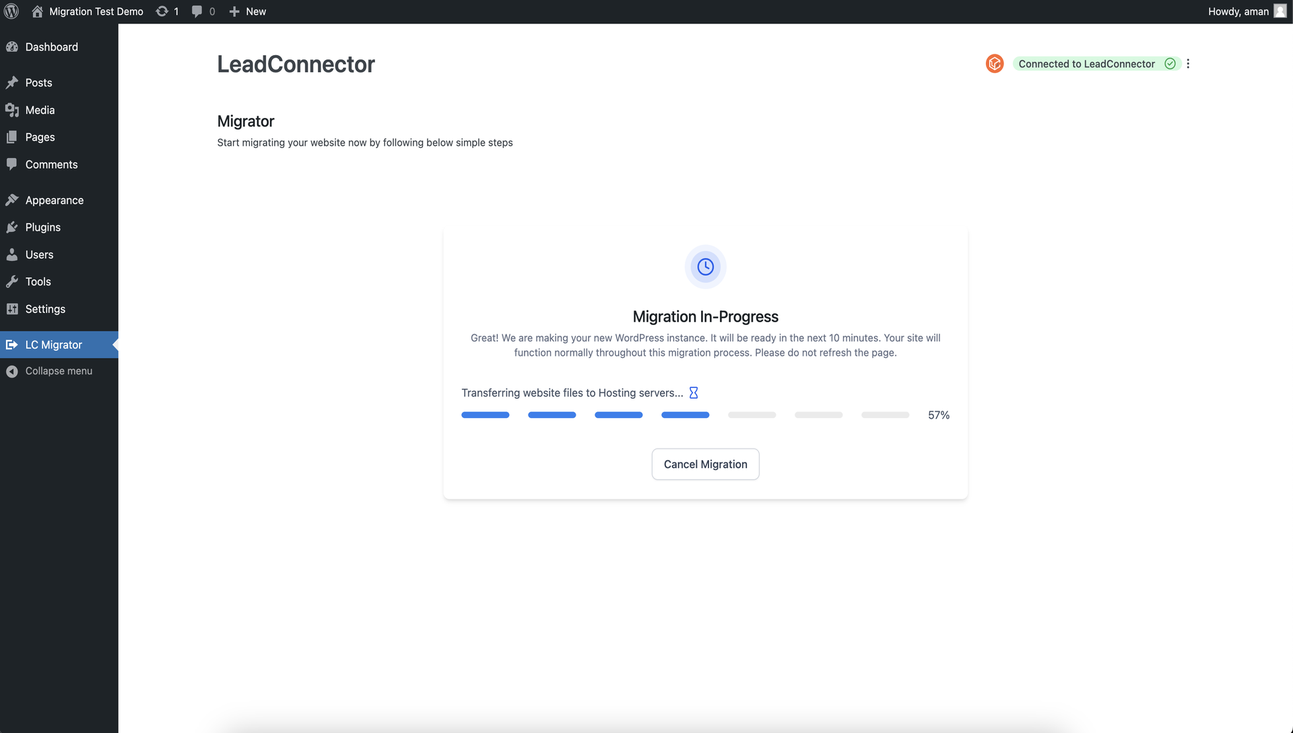
Start Migration
Click the Start Migration button. You'll see clear progress updates. Relax as the migration proceeds in the background.
-
09
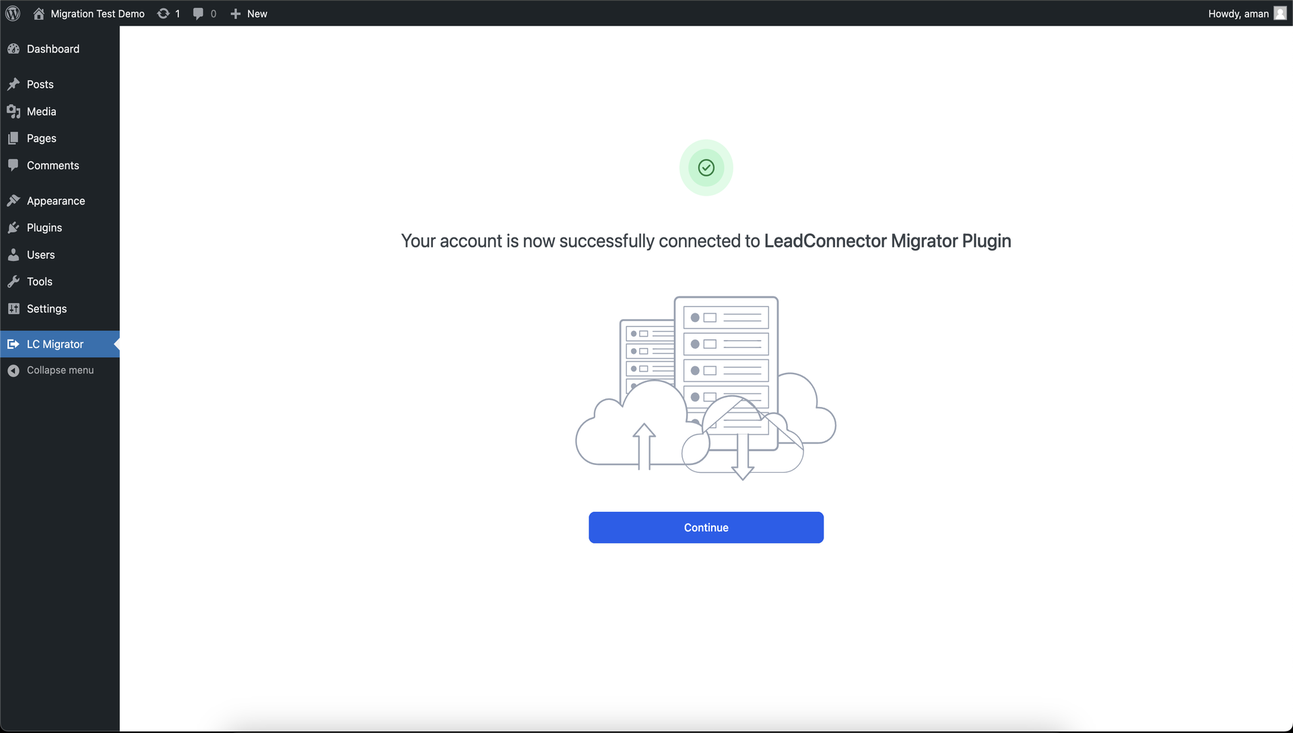
Migration Completed
Once the migration finishes, click View Your New Website to explore your freshly migrated site. Optionally, rate your experience to help us improve!
Success
Your WordPress site has been successfully migrated to RevMax. All content, plugins, and settings have been transferred automatically.